After moving to the Dan case, I hoped the two Arctic P12 Max fans that I'd shoved into the space meant for an AIO cooler would help with temps, but they barely did anything and were extremely noisy as they just went to full rpm everytime there was a load. Temps were very similar to the Velka 3. I thought it was time to try an AIO.
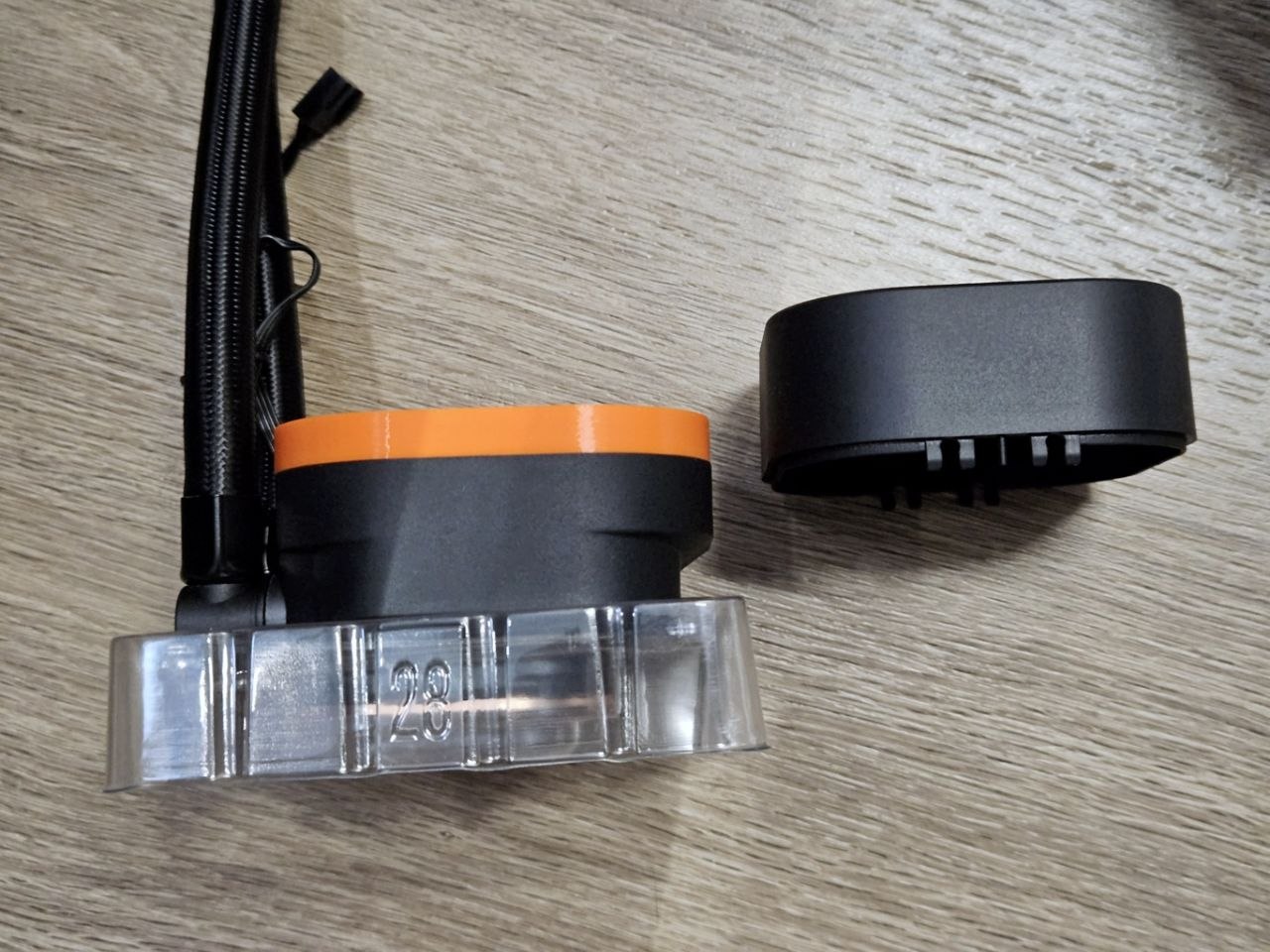
The Dan A4 H2O requires a pump with a very low height (55mm?) and the only one I could find in Singapore was some Asus unit that was 250sgd. Another option was the Corsair Nautilus 240RS which was half the price. The stock Nautilus won't fit in the A4 H2O, but some folks online have observed that the nautilu's pump block was empty, and there is a design on thingiverse that would replace the empty cosmetic with a shorter version that would fit in the case.
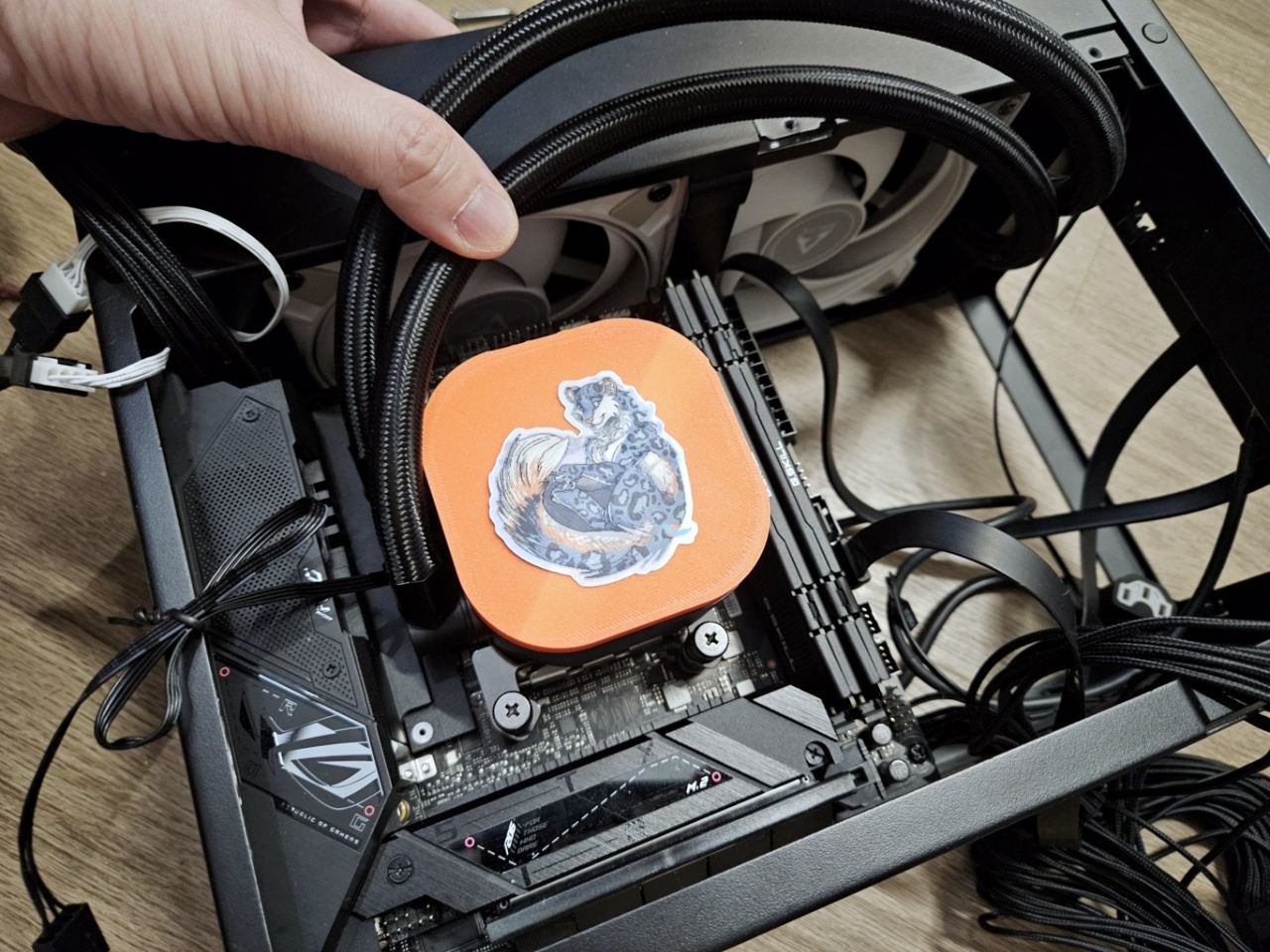
I decided to roll the dice and went with the Nautilus. Thankfully, the 3D printed cap fit perfectly!
The AIO did come with its own fans, but I used the P12 Maxes and left the ones that came with the AIO unopened. After booting up the machine and running Furmark's CPU burner with 23 threads, the AIO proved its worth - temps were somehow locked to 80C, and the cpu clock speed hit 5.1ghz. This is quite different from the air cooler which hit 95C, and usually hovers around 4.9ghz with Cpu Burner.
Checking the bios, I was still using the AMD Eco Mode at 105W. So still the same settings, but why did it not hit 95C like the air cooler? Hmmm. In any case, I tried the 170W eco mode. Once again running Cpu Burner with 23 threads, the cpu jumped to 90C, and was slowly going up (I quit when it hit 92C). The CPU clocked in at 5.19ghz, very impressive!
I went back to 105w eco mode as I don't really need my cpu cooking at 90c. And yes, I've read that these cpus are meant to run at 95C continuously.
I tried Deep Rock Galactic with the AIO and something odd happened - previously with the air cooler, the GPU (Zotac Single Fan 4060) would be very audible, especially in heavy combat, but now it was pretty quiet, and during heavy combat the fan noise wasn't objectionable. Very odd, but hey I'm not complaning! Maybe because this is a sandwich style case - with the cpu much cooler, the gpu too runs cooler? No idea.
Other things to mention - there was no manual included in the box. Which is good! I would have tossed it after. On the flip side, I found the online manual not as clear as it could be, and it also suggests connecting the pump to the cpu header, while the motherboard's manual says to connect the pump to the... pump header. I connected it to the pump header, and the bios has it running at full tilt. The radiator fans I connected to the CPU fan header.
......
Hmmmm I wonder if the PBO settings vary depending on if the board's pump header was in use? Like if it senses a pump in use it might run the cpu cooler, but lets it heat up all the way to 95C if no pump was detected? No, I am not going to test that. Routing the tubes was a gigantic pain in the arse, something you should note.
Anyways. All of the screws and mountings came in thick paper bags, and only a few pieces of plastic were used in the packaging. I thought that was an improvement over wrapping everything in plastic.
EOF
©2026 Gallen. All Rights Reserved.